In-house · Departures · Arrivals → Morning schedule

The hotel's morning, in order before the first trolley.

Vira reads the reports your PMS already exports, proposes the work by floor and gives the head housekeeper work sheets ready to review and print.

Automation proposes. The head housekeeper decides.

The threshold

A hotel that is already awake.

The hotel is already up and running. Between arrivals, departures and rooms to prepare, someone has to organise the day.

08:30 · The shift

Three lists before the first trolley leaves.

In-house, departures and arrivals. Someone cross-checks them room by room.

How it works.

Four steps, always in the same order.

A working day with a record.

Traceability is linked to the working day and allocation. The head housekeeper reviews the proposal before printing the sheets.

  1. Staff roster

    Prepare the day’s team before importing the reports.

  2. Import reports and first result

    Upload in-house, departure and arrival reports from your PMS and review the first result.

  3. Proposed allocation and afternoon tasks

    Review the floor-by-floor proposal, adjust assignments and prepare afternoon tasks.

  4. Printable sheets

    Review and print the day’s work sheets.

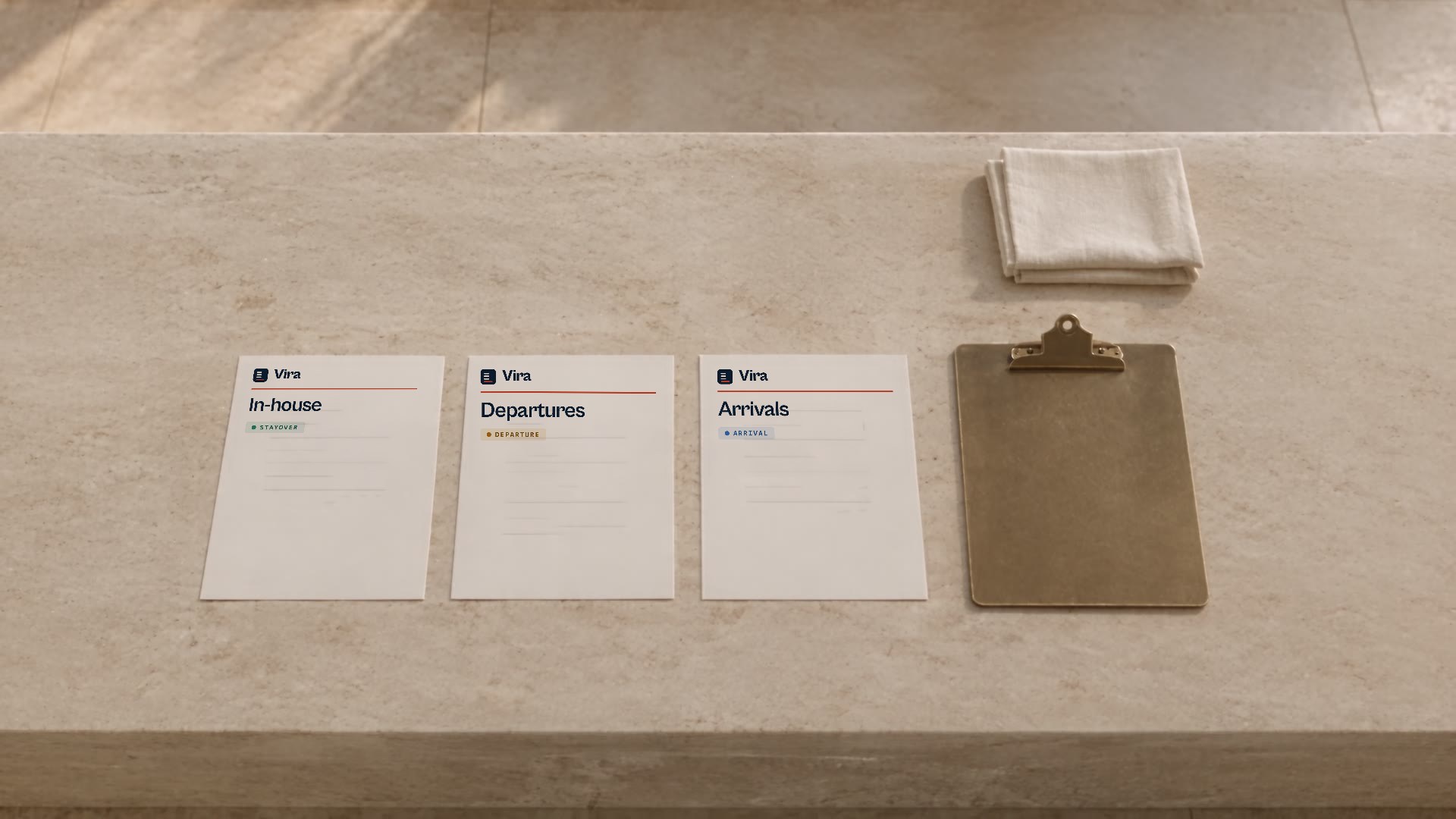
Three reports become the day's plan.

The in-house, departure and arrival reports your PMS already exports align into one surface: the room board.

Three paper reports, labelled by Vira as In-house, Departures and Arrivals, beside an empty clipboard and folded linen on a pale stone surface.
Reference plate. Sample labels, no real data.
  • In-house

    102 · stayover305 · stayover118 · stayover
  • Departures

    101 · departure202 · departure214 · departure
  • Arrivals

    201 · arrival207 · arrival310 · arrival

Illustrative. These are the three lists you already download from your PMS.

Sample board with illustrative data and fictional room attendant names.
UnitTypeAssigned toStatus
101 · F1DepartureAnaPending
102 · F1StayoverBeaIn progress
201 · F2ArrivalCarlaPending
202 · F2DepartureCarlaTo inspect
305 · F3StayoverUnassignedUnassigned

Cleaning weight: stayover 1 arrival 2 departure 2

Room 305 stays unassigned: when the split does not add up, Vira does not invent an assignment. The proposal follows the hotel’s rules. The head housekeeper reviews the allocation and decides adjustments.

The whole hotel, not just housekeeping.

Housekeeping and inspections

From allocation to work sheets. The head housekeeper can print an inspection sheet by floor or area.

Maintenance and technicians

Open work orders, assign a technician and follow the case.

Guest QR

Guests can send a request from their room’s QR code. The team receives a structured request for review.

Reception

Check room status, flag priorities and leave notices for the operations team. Without reassigning housekeeping.

Each role, its own work.

Head housekeeper
Plans, reviews the allocation and decides adjustments.
Room attendant
Works from a printed work sheet in the hotel’s language.
Technician
Sees their assigned work orders.
Reception
Checks rooms and communicates priorities or actual departures.
Management
Accesses authorised areas and, as an owner or manager, compares hotels.

Portuguese, Spanish and English.

The application is available in all three languages. Printed work sheets use the hotel’s language, not the browser’s.

Privacy, in plain text

Three commitments built into how Vira works.

  • Reports are not stored: they are read and discarded.
  • The importer discards the identity it recognises (guest, client, honorific plus a name); Vira works with room numbers and workload. It is a marker filter, not an identity verifier.
  • Isolation between hotels is architectural, not a sales promise.

If your legal team needs detail, we'll give you the detail.

Frequently asked questions

Does it replace our PMS?

No. Vira isn't a PMS, a channel manager or a booking engine. It reads the reports you already export from your PMS and turns them into the housekeeping schedule; reservations, rates and billing stay where they are.

What if the report is wrong?

Vira only works with what the report contains and doesn't fill in missing data on its own. That's why the schedule goes to the head housekeeper for review before it's final.

Can we change an assignment?

Yes. The schedule is a proposal: the head housekeeper sees why each room was assigned and adjusts whatever the day's operation calls for. The final call is always theirs.

Do we need to install anything?

No. There's nothing to install at the front desk or in the PMS: Vira runs in the browser and room attendants work from printed sheets.

What about guest data?

The importer discards what it recognises as identity and masks emails and phone numbers; the imported files are not kept. The work sheet carries no names the filter recognises as identity, and a name written with no marker is not detected: the filter works by markers and is not a verifier.

How long does onboarding take?

It depends on how the hotel is organised: floors, team and how you download the reports. We don't quote a generic timeline: in the demo we review your case and propose a concrete start.

Which PMS does it work with?

Vira reads in-house, departure and arrival files exported by the hotel’s PMS. This is not an integration: we review your report format in the demo.

What if there is no internet or the import fails?

There is no offline mode: using the application requires access to the server. You can continue with sheets already printed. Once access returns, resume the saved working day; a rejected import does not replace confirmed work.

Which languages are available?

Portuguese, Spanish and English. Printed sheets use the language configured for the hotel.

Request an operational demo

We walk you through the full flow with sample reports and compare it with how you organise the morning today. No commitment.

Duration: We agree the duration when preparing your case.
Reports: We start with sample reports and review your format in the demo.
Installation: In your browser, with nothing to install.

Launch links pending: the production domain and the legal pages are not confirmed yet. They are shown marked and unlinked.